Why These Three Programs Are Often Confused — and Why the Distinction Matters
When administrators browse vendor catalogs or read grant applications, “coding,” “robotics,” and “STEM” are often used interchangeably. They are not the same thing. Each represents a different instructional model, requires different physical resources, and produces different outcomes for students.
The confusion is understandable. All three fall under the broad umbrella of technology-forward enrichment. All three can qualify for 21st Century Community Learning Centers (21CCLC) funding. But when a school principal signs a contract for a program that does not match her building’s infrastructure or student population, the results are predictable: low attendance, underused equipment, and a budget line that becomes hard to justify the following year.
Getting the program type right at the design stage — before purchasing equipment or scheduling staff — is one of the highest-leverage decisions a school can make. If you are building out a comprehensive after-school enrichment strategy, the Title I after-school enrichment programs guide offers a solid framework for understanding how these programs fit into a broader funding and implementation plan.
Coding Programs: What Students Actually Do and What It Costs
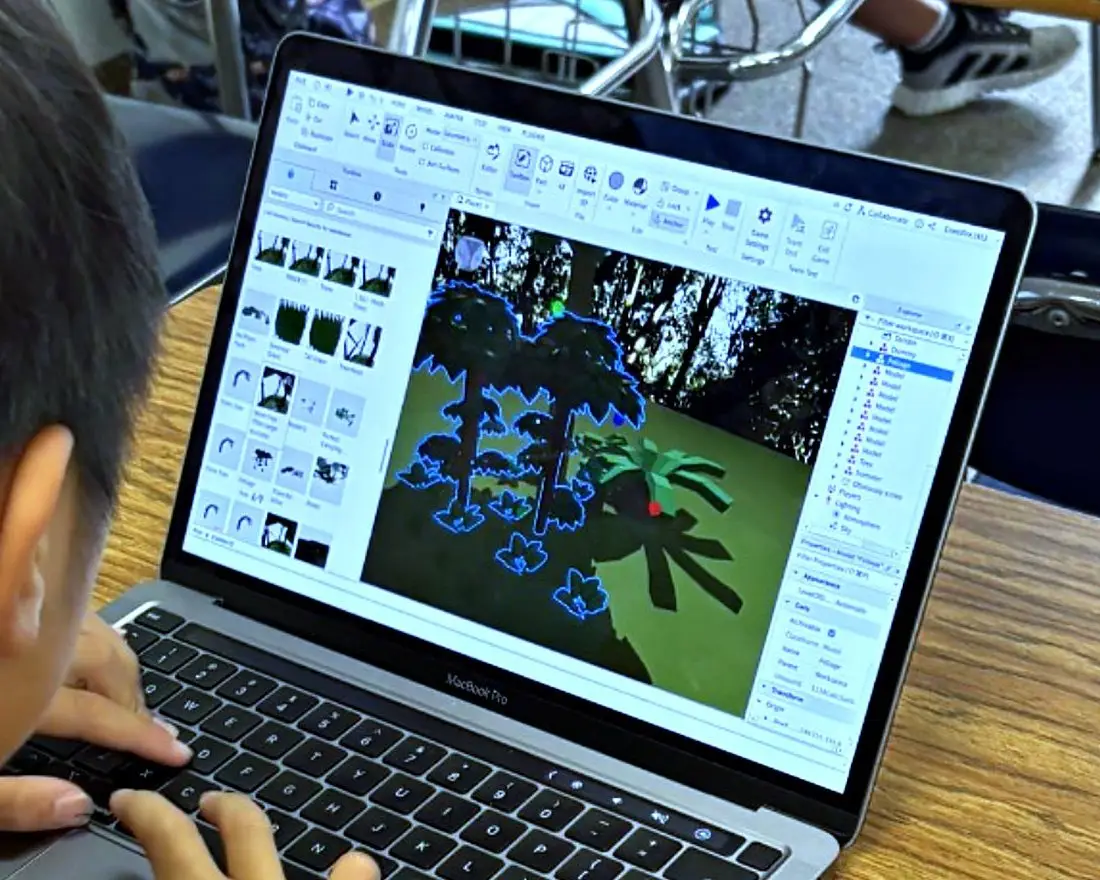
Coding programs focus on programming logic — teaching students to write, test, and debug instructions that make software do something. The output is digital: a game, an animation, a website, an app.
The platform matters significantly by age group:
- Grades K–3: Block-based platforms like Scratch Jr. and early Scratch are appropriate. Students drag visual command blocks to animate characters and create simple stories. The goal at this stage is sequencing logic and cause-and-effect thinking, not syntax.
- Grades 4–6: Full Scratch, introductory Python, and game design tools like GameMaker or Unity’s learning edition become accessible. Students begin writing text-based code in structured environments.
- Grades 7–8: Python, JavaScript, HTML/CSS, and basic web development are realistic targets. Students can build functional projects — personal portfolio pages, simple data visualizations, or introductory APIs.
Skills developed include logical sequencing, debugging, persistence through trial and error, and early computational thinking. These map directly to math reasoning standards, which makes coding a relatively easy sell for principals trying to tie enrichment to academic outcomes.
Attendance patterns: Coding programs tend to show strong retention when students are building toward a completed project. Completion-based structures — where students “ship” something at the end of 8 or 12 weeks — outperform open-ended lab formats in Title I settings.
Cost range: Software-only coding programs run $15–$35 per student per semester when delivered by a trained facilitator. Programs that include instructor training, curriculum licenses, and family showcase events typically range from $80–$150 per student annually. Devices (Chromebooks or tablets) are often already in the building; if not, add $150–$300 per device amortized over three years.
Robotics Programs: Hands-On Engineering With Real Trade-Offs
Robotics programs combine physical hardware — motors, sensors, structural components — with programming software to control that hardware. The engineering design process is central: students plan, build, test, fail, and iterate.
Robotics is best suited for grades 2–8. Kindergarten and first grade students generally lack the fine motor skills and reading fluency required to navigate most robotics kits without significant adult scaffolding.
Common platforms by grade band:
- Grades 2–4: LEGO Education SPIKE Essential, Botley 2.0, Ozobot
- Grades 5–8: LEGO SPIKE Prime, VEX IQ, Arduino-based kits, FIRST Tech Challenge components
Robotics naturally supports teamwork. Most kits are used by groups of 2–4 students, which builds collaboration skills that coding alone does not always develop. The engineering design process also aligns with Next Generation Science Standards (NGSS), which is useful for grant justification.
Equipment costs are the primary trade-off. A classroom set of 8 LEGO SPIKE Prime kits runs approximately $3,200–$4,000. VEX IQ starter kits average $250–$350 per unit. Unlike Chromebooks, robotics hardware is not typically already in the building, and it requires secure storage, regular maintenance, and replacement parts. Programs should budget 10–15% of initial hardware cost annually for consumables and repairs.
What is typically included in a vendor package: curriculum, facilitator guide, and sometimes initial training. What is almost always purchased separately: replacement parts, competition registration fees (if pursuing FIRST Robotics or similar), and storage solutions.
General STEM and Maker Programs: The Flexible Entry Point
STEM and maker programs are the broadest category. Rather than focusing on a single discipline or tool, they use project-based challenges that draw on science, engineering, math, and sometimes art (STEAM). A student might build a bridge from popsicle sticks, design a water filtration system, or wire a basic circuit — all in the same program.
This model works across all K–8 grades because facilitators can adjust material complexity. A second grader and a seventh grader can both work on a structural engineering challenge, just with different constraints and expectations.
STEM/Maker programs are the right starting point for schools that are new to enrichment programming, have limited storage space, or are working with a tight budget. Per-student equipment costs typically run $20–$60 per semester, using consumables like cardboard, wire, craft materials, and low-cost electronics kits.
The trade-off is less depth. Students gain exposure to engineering thinking and scientific inquiry, but they do not develop the sustained technical skill that a dedicated coding or robotics program builds over time.
Program Comparison Table
| Program Type | Grade Range | Skills Developed | Typical Annual Cost Per Student | Equipment Needs | Engagement Level | Best Fit |
|---|---|---|---|---|---|---|
| Coding | K–8 | Logic, debugging, math reasoning, independence | $80–$150 | Devices (often on-hand), software licenses | High when project-based | Schools with existing devices; grades 4–8 priority |
| Robotics | 2–8 | Engineering design, teamwork, spatial reasoning, persistence | $150–$300 (plus hardware amortization) | Kits ($250–$500/unit), storage, replacement parts | Very high; hands-on drives attendance | Schools with budget for hardware; grades 5–8 strongest ROI |
| STEM/Maker | K–8 | Scientific thinking, creativity, collaboration, problem-solving | $20–$60 | Low-cost consumables, minimal tech | Moderate to high depending on facilitation | New programs, limited budgets, broad age ranges |
How to Choose: Questions Administrators Should Ask First
No program type is universally superior. The right choice depends on your specific context. Before selecting a program, work through these questions:
- What devices do you already have? If your school has a 1:1 Chromebook program, coding is the lowest-cost path to a high-quality experience. If devices are limited, STEM/Maker or robotics may be a better fit.
- What is your available storage space? Robotics kits require lockable, dedicated storage. If your after-school program runs in a cafeteria or shared space, hardware-heavy programs create real logistical friction.
- What grade levels are you primarily serving? Coding works across K–8 with the right platform adjustments. Robotics delivers the strongest outcomes in grades 5–8. STEM/Maker is the safest choice for mixed K–5 groups.
- What does your grant funding allow? 21CCLC and Title IV-A funds can support all three, but some grants require documented academic alignment. Coding ties most directly to math standards; robotics ties to NGSS; STEM/Maker can be aligned to either with careful lesson documentation.
- What is your facilitator capacity? Robotics programs have the steepest facilitator learning curve. If you are relying on paraprofessionals or classroom teachers in an extended role, a structured coding or STEM curriculum with strong facilitator guides is more sustainable.
Can You Run More Than One? How Schools Layer These Programs
Yes — and many of the highest-performing Title I after-school programs do exactly this. The typical layering model assigns different program types to different days of the week rather than running them simultaneously.
A common three-day structure:
- **Monday/
**